
CNCTOPBAOS 1610 Pro CNC Milling Machine Review


The CNCTOPBAOS 1610 Pro CNC milling machine features a compact design ideal for hobbyists and small workshops. With a maximum spindle speed of 20,000 RPM, it efficiently handles engraving and cutting across various materials. The upgraded GRBL1.1f control board enhances performance, while offline operation capability and an integrated SD card reader streamline usability. This machine's limitations in working area may restrict larger projects, making it essential for users to evaluate their needs further.


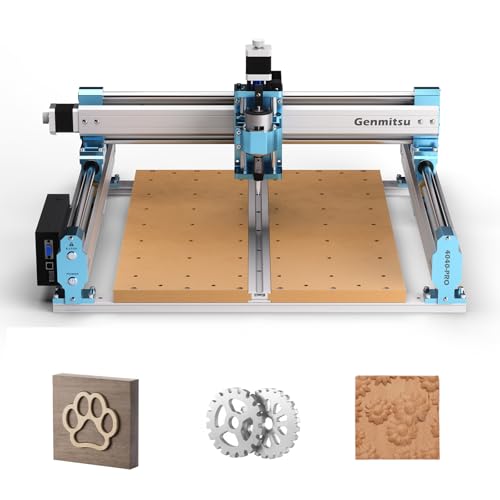


Main Points
- The CNCTOPBAOS 1610 Pro features a compact design, making it ideal for hobbyists and small workshops with limited space.
- It is equipped with an upgraded GRBL1.1f control board, enhancing operational efficiency and supporting diverse material cutting.
- The offline controller allows for standalone operation, enabling users to run projects without a computer connection.
- With a maximum spindle speed of 20,000 RPM, it effectively handles intricate engraving and cutting tasks on various materials.
- Safety features, including an emergency stop button and straightforward manual adjustments, enhance usability and precision during operation.
Key Advantages and Disadvantages
The CNCTOPBAOS 1610 Pro CNC Milling Machine offers several notable advantages, particularly its compact design and versatile capabilities for engraving and cutting a variety of materials.
Additionally, the inclusion of an upgraded GRBL1.1f control board enhances operational efficiency and user experience.
However, it is essential to evaluate the limitations associated with its working area and power output in relation to more demanding projects.
For beginners, models like the CNCTOPBAOS 3018-PRO-MAX—with its 120W spindle and easy assembly—illustrate the brand’s accessible entry point within portable CNC options.
What We Liked
One notable advantage of the CNCTOPBAOS 1610 Pro CNC Milling Machine lies in its compact design, making it an ideal choice for hobbyists and small workshops. This design quality enhances user experience by facilitating easy integration into limited spaces. The machine's upgraded GRBL1.1f control board and offline controller offer versatility, allowing operation without a computer. Additionally, the inclusion of an emergency stop button and manual adjustments contributes to operational safety and precision. However, its limited working area may restrict larger projects, presenting a potential drawback for more advanced users seeking expansive capabilities in their milling endeavors. For beginners comparing options, prioritize models with limit switches and emergency stop buttons as highlighted in the knowledge for safer operation.
Compact and Powerful Performance
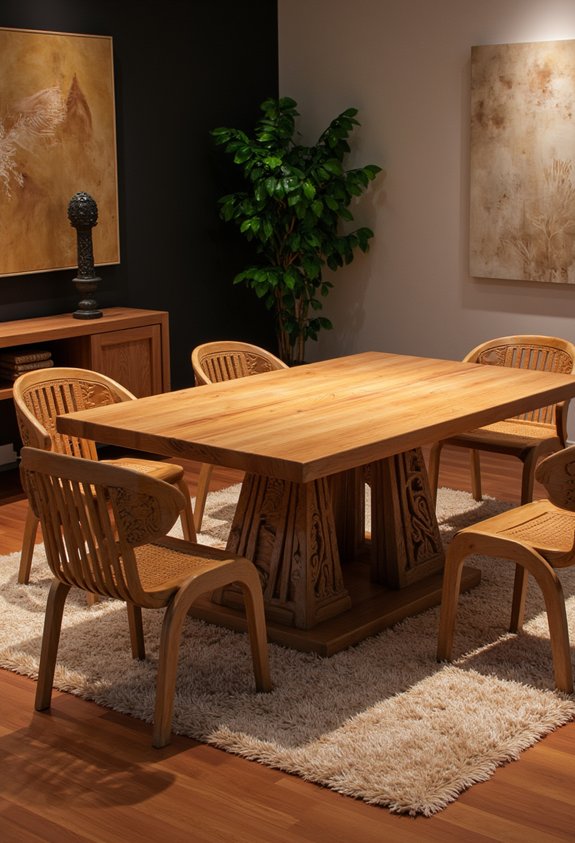
Although compact in design, the CNCTOPBAOS 1610 Pro CNC Milling Machine delivers impressive performance that rivals larger machines.
Its robust spindle operates at a maximum of 20,000 RPM, ensuring performance efficiency in various applications such as engraving and cutting materials ranging from wood to soft metals.
The machine's design versatility is evident in its ability to handle intricate projects with precision within its 7.08x3.93x1.77 inch working area.
The CNCTOPBAOS 1610 Pro CNC Milling Machine excels at executing intricate projects with impressive precision in a compact workspace.
Equipped with advanced GRBL1.1f control and upgraded features, this CNC milling machine is tailored for both hobbyists and professionals seeking a powerful solution without compromising space or capability.
Drawing on broader industry insights, many small CNC routers support GRBL control, enabling reliable performance and easy integration with common software across diverse materials and project sizes.
Included 4G USB Flash Drive
The CNCTOPBAOS 1610 Pro CNC Milling Machine includes a 4G USB flash drive, which serves as an important resource for users.
This drive contains essential software, including the GRBL control software, as well as the user manual, facilitating a smoother setup and operation process.
With a frame size of 11.81x10.23x9.84 inches, the compact dimensions of the machine are complemented by the accessibility of instructional materials on the USB drive.
Frame Size: 11.81x10.23x9.84 Inches
Compact and robust, the frame size of the CNCTOPBAOS 1610 Pro CNC Milling Machine measures 11.81x10.23x9.84 inches.
This configuration contributes considerably to its design stability, ensuring precise operations during milling tasks. The frame dimensions are thoughtfully engineered for peak performance, making it suitable for various applications.
Key features include:
- Compact footprint for limited workspace.
- Enhanced rigidity for improved accuracy.
- Versatile compatibility with multiple materials.
- User-friendly setup for DIY enthusiasts.
These attributes collectively empower users to experiment freely, facilitating a liberating experience in CNC milling and engraving techniques. For makers comparing options, entry-level routers like the LUNYEE 4040 PRO highlight how robust construction and dual linear guides can improve precision and stability.
User Manual on USB Drive
Included with the CNCTOPBAOS 1610 Pro CNC Milling Machine is a 4G USB flash drive that serves as an essential resource for users. This drive contains the user manual, facilitating efficient user manual navigation and enhancing the learning curve. It provides extensive software installation instructions, ensuring users can seamlessly set up the GRBL software compatible with various operating systems. The availability of this digital resource empowers users to fully leverage the machine's capabilities, promoting a more liberated approach to CNC milling. Additionally, the drive complements the machine’s GRBL control support highlighted in the product specifications, helping users quickly configure and operate the CNC with confidence.
Offline Operation Capability
The CNCTOPBAOS 1610 Pro CNC Milling Machine features an offline operation capability that enhances its standalone functionality, allowing users to execute tasks without tethering to a computer.
This capability facilitates easy file transfer via an SD card reader, streamlining the process of loading G-code files.
Additionally, the user-friendly interface supports manual adjustments, contributing to improved flexibility in engraving and cutting operations.
Standalone Functionality Benefits
Many users appreciate the standalone functionality of the CNCTOPBAOS 1610 Pro CNC Milling Machine, which allows for offline operation without the need for a computer.
This feature enhances user independence, enabling operators to execute projects directly from an SD card. The machine's standalone capabilities eliminate reliance on an external system, providing flexibility in various settings, including workshops and remote locations.
Easy File Transfer
Efficient file transfer is a critical aspect of the CNCTOPBAOS 1610 Pro CNC Milling Machine's offline operation capability.
The device supports various G-code formats, ensuring broad file compatibility essential for diverse applications. With its dedicated SD card reader, users can easily upload designs without the need for a constant computer connection.
This feature not only enhances convenience but also optimizes transfer speed, allowing for quick loading of files directly into the milling machine.
Ultimately, the seamless integration of file handling elevates the user experience, empowering operators to focus on creativity and precision in their CNC projects.
User-Friendly Interface
While operating in offline mode, the CNCTOPBAOS 1610 Pro CNC Milling Machine presents a user-friendly interface that simplifies the engraving and cutting processes. Its interface design prioritizes user experience, allowing operators to easily navigate through functions without needing a computer. The integrated offline controller, featuring an intuitive layout, enables efficient access to G-code files via the SD card reader. Manual adjustments for the X, Y, and Z axes are straightforward, enhancing operational efficiency. Additionally, essential controls such as the emergency stop button are readily accessible, reinforcing the machine’s commitment to usability and safety during complex tasks. For users comparing options, the similarly budget-friendly CNCTOPBAOS 3018-PRO-MAX offers a beginner-friendly design and strong support, which can inform expectations for user experience and setup.
Enhanced Flexibility Options
The CNCTOPBAOS 1610 Pro CNC Milling Machine enhances operational flexibility through its robust offline operation capability. This feature allows users to execute projects without a computer, utilizing an integrated SD card reader for G-code files. By supporting various customization options, it accommodates a wide range of materials, including PVC, acrylic, and soft metals like copper and aluminum. The offline controller empowers users to engage with the machine directly, facilitating immediate adjustments and enhancing productivity. This capability not only streamlines workflows but also expands the machine's versatility, making it an adaptable solution for diverse milling applications. Additionally, its offline workflow complements GRBL control compatibility commonly used across small-shop CNC routers, improving setup consistency and user experience.
Similar CNC Milling Machines
When considering options in the domain of CNC milling machines, several models exhibit capabilities similar to the CNCTOPBAOS 1610 Pro. A notable alternative is the Genmitsu CNC 3018, offering a comparable working area and robust performance for wood and soft metals.
Additionally, the BobsCNC E4 provides a larger frame and enhanced stability, particularly for intricate projects. In a CNC router comparison, the SainSmart 3018-PROVer stands out with its user-friendly interface and offline control features.
Each of these alternative models presents unique advantages, catering to varying user requirements while maintaining efficiency and precision in milling applications. For users prioritizing budget and capability, the SainSmart Genmitsu 4040-PRO MAX offers a 400 x 400 x 78 mm work area and a 710W trimmer under $1000.
Compact DIY CNC Router
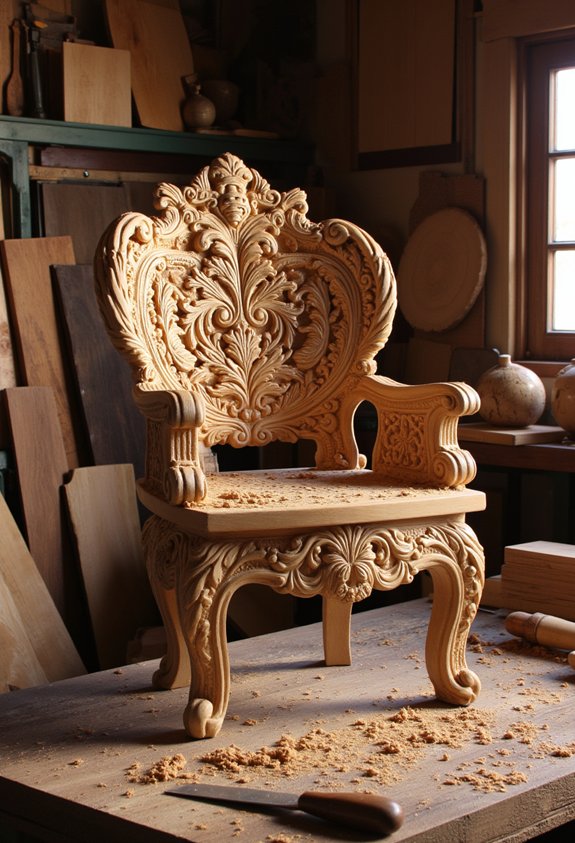
Compact DIY CNC routers have gained popularity among hobbyists and small-scale manufacturers due to their efficiency and versatility in various applications.
The compact design of these machines enables them to fit into limited workspace while delivering precise results in DIY projects. Their ability to engrave and cut materials such as wood, acrylic, and soft metals makes them invaluable for creative endeavors.
Equipped with advanced control systems and user-friendly interfaces, these routers facilitate seamless operation and intricate design execution. As a result, they empower users to transform ideas into tangible products, fostering innovation and creativity in the domain of personal manufacturing.
They also benefit from features like multiple axis control, high-speed spindles, and adjustable feed rates that improve precision and material compatibility.
Frequently Asked Questions
What Materials Can the CNCTOPBAOS 1610 Pro Cut and Engrave?
The CNCTOPBAOS 1610 Pro CNC milling machine is engineered to effectively cut and engrave a variety of materials.
It excels with wood materials, enabling intricate designs and detailed carvings. Additionally, it handles acrylic sheets with precision, ensuring smooth finishes and sharp edges.
Its capabilities extend to soft metals, such as copper and aluminum, broadening the scope of potential applications.
This versatility makes it a valuable tool for both hobbyists and professionals seeking creative freedom.
How Do I Install the GRBL Software on My Computer?
To install the GRBL software, one must navigate the digital labyrinth of installation. First, connect the CNC machine to the computer via USB. Then, access the included USB flash drive and locate the GRBL configuration files. Follow the step-by-step instructions to transfer the files, ensuring compatibility with your operating system. Upon completion, launch the software to unfasten the machine’s potential, transforming raw materials into intricate designs through precise software installation and configuration.


What Is the Maximum Spindle Speed Supported by This Machine?
The maximum spindle speed supported by the machine is 20,000 RPM, enhancing its spindle performance considerably.
This capability allows the CNC to efficiently engrave and cut a variety of materials, including soft metals.
The high spindle speed contributes to the machine's overall CNC capabilities, enabling users to achieve precise and intricate designs.
Such performance is essential for those seeking liberation in their creative and fabrication processes, allowing for more versatility and control in projects.


Can This CNC Machine Be Used for Metal Engraving?
The machine demonstrates notable capabilities in metal engraving, particularly with soft metals like copper and aluminum.
With a maximum spindle speed of up to 20,000 RPM, it offers sufficient power for intricate designs.
The integration of a robust GRBL1.1f control board enhances precision, allowing users to achieve detailed engravings.
This versatility positions the machine as an effective choice for hobbyists and professionals seeking to explore metal working in their projects.
What Is the Warranty Period for the CNCTOPBAOS 1610 Pro?
The warranty period for the CNCTOPBAOS 1610 Pro CNC Milling Machine typically spans one year, covering manufacturing defects and malfunctions under normal use.
Customers are encouraged to consult warranty details outlined in the user manual for specific conditions and exclusions.
Robust customer support is available to assist users with inquiries and issues, ensuring they receive thorough guidance throughout their ownership experience, thereby enhancing the operational longevity and satisfaction with the product.


Budget-Friendly Woodworking Tools Under $100: Essential Deals for Hobbyists




Premium Woodworking Equipment: Professional-Grade Tool Savings


If you want to know other articles similar to CNCTOPBAOS 1610 Pro CNC Milling Machine Review you can visit the CNC router category.
This is also interesting